Importers
TD COMPs / TOPs / 2023 – Present
This collection of components focuses on bringing external color data into TouchDesigner in a usable, standardized form. While TouchDesigner operates primarily within normalized RGB values (0–1), many common color formats — such as HEX and CMYK — exist outside of this range or structure.
These components remove the need for manual conversion by translating external color representations directly into TouchDesigner‐compatible RGB values. This allows palettes, print‐based color systems, and externally defined color data to be integrated seamlessly into procedural workflows.



ASE in
Adobe Swatch Exchange Import
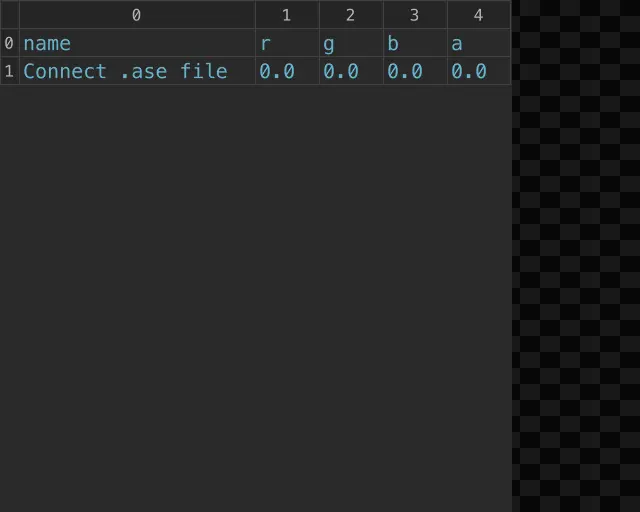
This component imports Adobe Swatch Exchange (.ase) files and translates their color data into TouchDesigner‐compatible RGB values. Rather than outputting a TOP, the imported swatches are exposed directly as read‐only RGBA parameters on the component.
Each color in the .ase file is converted to normalized RGB values (0–1) and paired with its corresponding name. These values are presented as read‐only parameters, allowing them to be easily referenced throughout the node network without requiring additional operators or data conversion steps.
The number of parameters is determined dynamically based on the contents of the .ase file. When the file is loaded, the component updates to reflect the structure of the imported palette, exposing each color as an individual Name / RGB pair.
By operating as a parameter‐based color source, the ASE In COMP provides a simple and direct way to integrate external color palettes into procedural workflows — enabling consistent color usage across multiple operators without manual input or translation.
Resources:
Download the .tox files,
Guide to .ase files,
Create and Open Swatch Libraries,
Collection of .ase files by mhulse
Parameters
.ase:
Specifies the Adobe Swatch Exchange (.ase) file to import.
The selected file is parsed and its color data is converted into TouchDesigner‐compatible RGB values.
Name:
Displays the name of each imported swatch.
The number of Name parameters corresponds to the number of colors in the .ase file. These parameters are read‐only and can be referenced throughout the network.
RGB:
Displays the RGB values of each imported swatch. These values are provided in TouchDesigner’s normalized 0–1 range. These parameters are read‐only and can be referenced throughout the network.
Updated – 3/5/2026
CMYK in
CMYK to RGB Conversion
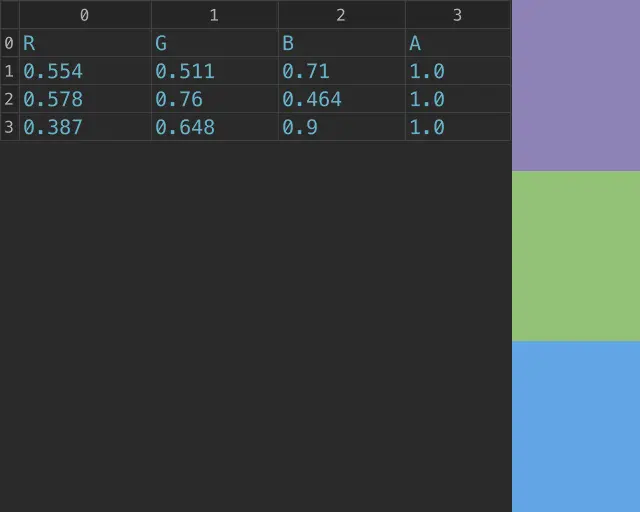
This component converts user‐defined CMYK values (0–255) into TouchDesigner‐compatible RGBA values (0–1). Unlike file‐based importers, the CMYK in COMP operates through direct parameter input, allowing color values to be entered, adjusted, and evaluated interactively within the node network.
Each CMYK input is defined through a sequential parameter group. As new inputs are added, the component dynamically expands to include additional CMYK / RGBA pairs. The CMYK values are converted into normalized RGBA values, which are exposed as read‐only parameters for easy reference and reuse throughout the node network.
This workflow provides a direct bridge between print‐oriented color systems and TouchDesigner’s RGB‐based environment. By allowing CMYK values to be entered and translated internally, the component removes the need for external conversion tools and enables consistent color handling within procedural setups.
Optionally, all converted values can be output as a table DAT, making it easy to integrate CMYK‐derived palettes into DAT‐driven workflows or downstream processing.
Resources:
Download the .tox files,
CMYK on Wikipedia,
CMYK Color Picker on W3Schools
Parameters
Add CMYK Input:
Adds a new CMYK input group.
The number of groups defines how many CMYK values will be entered and converted.
CMYK:
Defines the CMYK values for the input group as an integer vector (C, M, Y, K). These values are converted into TouchDesigner‐compatible RGB values.
RGBA:
Displays the converted RGBA result for the corresponding CMYK input. Values are provided in the normalized 0–1 range and can be referenced throughout the network.
Output DAT:
When enabled, outputs all converted RGBA values as a table DAT for use in DAT‐based workflows.
Outputs
Output 0 – DAT Table DAT of RGBA values.
Updated – 3/5/2026
HEX in
HEX to RGB Conversion
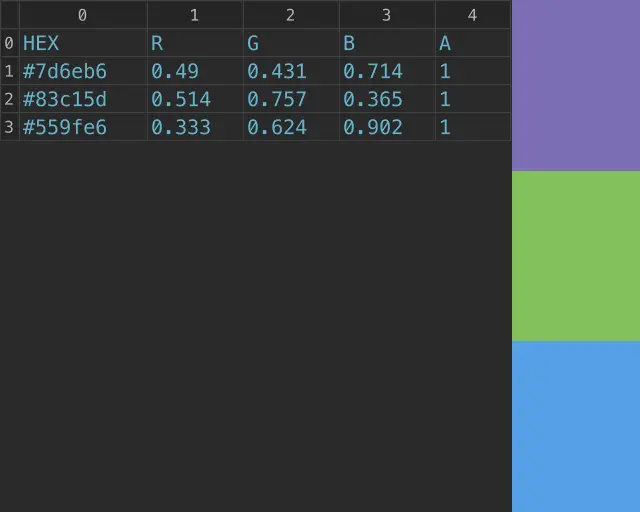
This component converts user‐defined HEX color codes into TouchDesigner‐compatible RGBA values. By allowing HEX values to be entered directly as strings, it provides a simple way to translate web‐ and design‐oriented color formats into TouchDesigner’s normalized RGB space.
Each HEX input is defined through a sequential parameter group. As new inputs are added, the component dynamically expands to include additional HEX / RGBA pairs. The input values are parsed and converted into normalized RGBA values (0–1), which are exposed as read‐only parameters for easy reference and reuse throughout the node network.
This workflow enables quick integration of color values from external sources such as design tools, style guides, or web palettes without requiring manual conversion. By operating as a parameter‐based color source, the HEX in COMP allows color to be defined, adjusted, and distributed procedurally within the TouchDesigner environment.
Optionally, all converted values can be output as a table DAT, making it easy to pass HEX‐derived palettes into DAT‐driven workflows or downstream processing.
Resources:
Download the .tox files,
HEX Codes on Wikipedia,
HEX Color Picker on W3Schools
Parameters
Add HEX Input:
Adds a new HEX input group.
The number of groups defines how many HEX values will be entered and converted.
HEX:
String input for entering a HEX color code.
The value is parsed and converted into TouchDesigner‐compatible RGBA values.
RGBA:
Displays the converted RGBA result for the corresponding HEX input. Values are provided in the normalized 0–1 range and can be referenced throughout the network.
Output DAT:
When enabled, outputs all converted RGBA values as a table DAT for use in DAT‐based workflows.
Outputs
Output 0 – DAT Table DAT of RGBA values.
Updated – 3/5/2026