SVGs
TD COMPs / SOPs / 2023 – Present
This collection of components focuses on translating SVG vector data into and out of TouchDesigner’s procedural environment. SVGs are inherently resolution‐independent and defined through mathematical curves, making them well suited for precise geometry, typography, and graphic systems.
Within TouchDesigner, however, SVG data is not natively represented as editable procedural geometry. These components bridge that gap by converting SVG paths into cubic Bézier SOP geometry and reconstructing SVG output from that geometry when needed.
At present, this category includes tools for both importing and exporting SVG data.


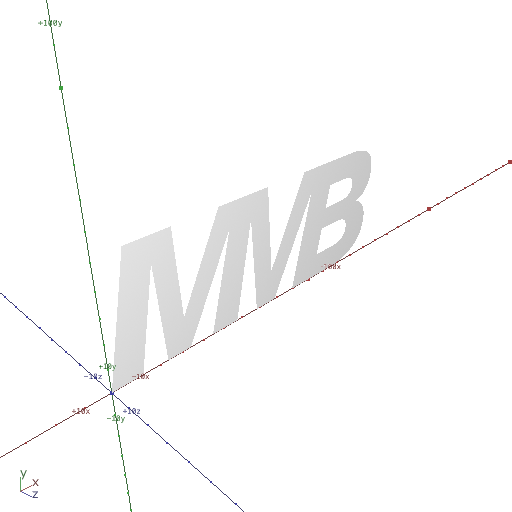


SVG In
SVG to Cubic Bézier Geometry
This component imports .svg files and converts their path data into SOP geometry using true cubic Bézier curves. Unlike other SVG import workflows that approximate curves with dense polylines, this implementation preserves the original mathematical structure of the SVG by leveraging TouchDesigner’s native cubic Bézier support.
TouchDesigner requires all curve primitives within a single geometry to be uniformly cubic. As a result, SVG paths that contain a mix of line segments, quadratic curves, or other SVG path commands are internally converted to cubic Bézier form during parsing. This ensures consistency and visual accuracy, but may increase the number of control points in simpler shapes.
For example, a basic rectangle defined by four points in an SVG may be expanded into a cubic representation with additional vertices. While this introduces extra geometry, it guarantees that all imported paths conform to TouchDesigner’s requirements and render accurately without approximation artifacts.
Resources:
Download the .tox files,
SVG Files by Adobe,
SVGs by W3 School
Parameters
.svg:
Specifies the SVG file to import.
The selected file is parsed and converted into cubic Bézier SOP geometry.
In‐ / Outputs
Output 0 – SOP Cubic bézier geometry.
Updated – 27/5/2026
SVG Out
SOP to SVG Export
This component exports SOP geometry as an SVG file, converting procedural geometry into vector path data. It builds on the original SOP‐to‐SVG workflow developed by Matthew Ragan, extending it with support for true Cubic Bézier output, basic fill and stroke styling controls, attribute‐driven variation through primitive attributes (fillColor, strokeColor, strokeWidth), and compatibility with TouchDesigner’s TDPyEnvManager for managing Python dependencies.
Setup:
This component relies on external Python packages and must be used in conjunction with the TDPyEnvManager COMP.
The required Python dependencies are:
svgwrite==1.4.3
setuptools==65.5.0
pip==26.0.1
This component simplifies setup by allowing a TDPyEnvManager‐compatible requirements.txt file to be generated directly within the SVG Out COMP.
- Within the SVG Out COMP, click the Generate requirements.txt pulse parameter to create or update a requirements.txt file in your project directory.
- Within the TDPyEnvManager COMP, create a Python virtual environment using the Create vEnv pulse parameter.
- Once the virtual environment is created, use Create From requirements.txt to install the required dependencies.
- When the virtual environment is active, the SVG Out COMP is ready for use.
Workflow:
Input SOP geometry is parsed and converted into SVG path data based on the selected SVG Type. Bézier mode preserves curve information, while Polyline and Polygon modes provide simplified geometric representations.
Styling can be applied uniformly or driven per‐primitive by defining attributes on the SOP geometry prior to export.
The supported primitive attributes are:
-
fillColor(float4) — used when Fill is set to Varied Color. -
strokeColor(float4) — used when Stroke Color Mode is set to Varied Color. -
strokeWidth(float) — used when Stroke is set to Varied Width.
This enables procedural workflows where both geometry and styling are authored within TouchDesigner before being exported as a Scalable Vector Graphic.
Resources:
Download the .tox files,
SVG Files by Adobe,
SVGs by W3 School,
Original SOP to SVG by Matthew Ragan
Parameters
SVG Type:
Defines the output path representation:
Bézier, Polyline, or Polygon.
Fill:
Specifies how fill styling is applied to exported paths:
None, Uniform Color, or Varied Color (uses a fillColor float4 primitive attribute).
Fill Color:
Defines the RGBA fill color applied to all paths.
Active when Fill is set to Uniform Color.
Stroke:
Specifies stroke width behavior:
None, Uniform Width, or Varied Width (uses a strokeWidth float primitive attribute).
Stroke Width:
Defines the stroke width applied to all paths.
Active when Stroke is set to Uniform Width.
Stroke Color Mode:
Specifies how stroke color is applied:
None, Uniform Color, or Varied Color (uses a strokeColor float4 primitive attribute).
Stroke Color:
Defines the RGBA stroke color applied to all paths.
Active when Stroke Color Mode is set to Uniform Color.
Artboard Size:
Defines the output SVG artboard dimensions:
A4, Letter, Legal, Tabloid, or Custom.
Custom:
Defines the width and height of the SVG artboard.
Active when Artboard Size is set to Custom.
Units:
Defines whether custom dimensions are interpreted as pixels (px) or millimeters (mm).
Active when Artboard Size is set to Custom.
Destination Folder:
Specifies the folder where the exported SVG file will be saved.
File Name:
Defines the name of the exported SVG file.
Export SVG:
Triggers the export of the SVG file.
Generate requirements.txt:
Generates or updates a requirements.txt file for use with the TDPyEnvManager COMP. Ensures all required Python dependencies for SVG export are included without overwriting existing entries.
In‐ / Outputs
Input 0 – SOP geometry to be exported as an SVG.
Updated – 27/5/2026